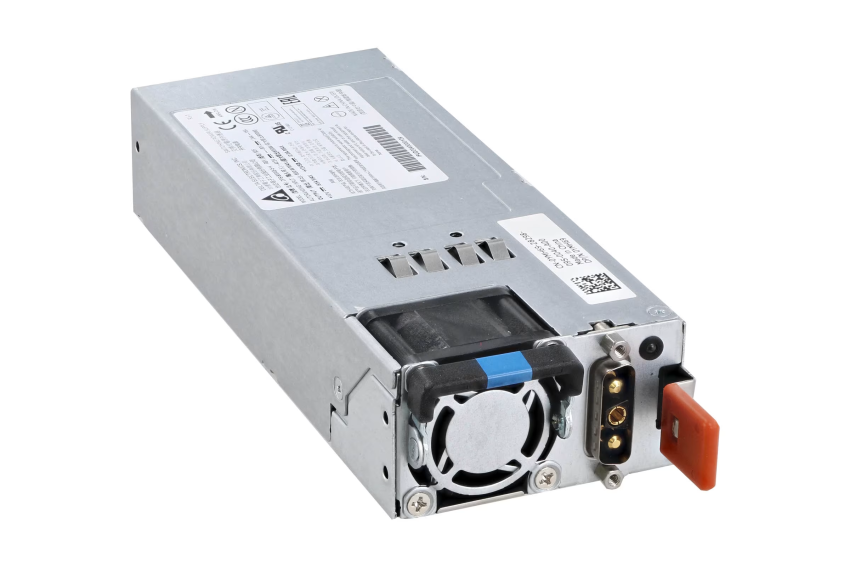
Introduction: The Heart of Your Dell System
A dell power supply is more than just a component—it is the heart of your Dell desktop or server. It ensures stable voltage delivery to sensitive components like the CPU, GPU, and memory modules. Without a reliable PSU, even the most advanced Dell systems can face performance issues or sudden shutdowns. For users in the Philippines, understanding your PSU’s operation and maintenance is critical, especially in environments with frequent power fluctuations.
Why the Dell Power Supply Light Goes Off When Plugged In
Many users encounter a situation where the dell power supply light goes off when plugged in. This is often one of the first visible signs of PSU trouble. Causes can include internal circuit failure, blown fuses, unstable power from the outlet, or even a faulty power cable. In servers, this symptom may indicate that the PSU has entered a protective shutdown mode to prevent damage. Identifying this early is crucial: ignoring it can lead to sudden system crashes, data corruption, or even damage to other components.
How to Test Dell Power Supply with Multimeter
Knowing how to test dell power supply with multimeter allows you to verify whether your PSU is delivering the correct voltage to your system. Begin by unplugging the PSU from the mains and removing it from the system if necessary. Using the multimeter, measure voltage across the 24-pin motherboard connector, 4/8-pin CPU connectors, and PCIe power lines. The expected values typically include +12V, +5V, and +3.3V, with minimal deviation. This method not only confirms PSU functionality but also helps identify intermittent faults that may not be immediately obvious.
Understanding Dell Server Power Supply Redundancy
In server environments, knowing how to check dell server power supply status is vital. Dell servers often support redundant PSUs, ensuring continuous operation even if one unit fails. The iDRAC interface or BIOS provides detailed diagnostics, including voltage levels, load distribution, and fault alerts. By regularly monitoring this status, IT managers in the Philippines can preemptively address potential failures, maintain uptime, and protect critical data services from unexpected interruptions.
Signs of PSU Degradation
Even if your dell power supply light goes off when plugged in isn’t apparent, other signs may indicate PSU wear: unusual fan noise, unexpected reboots, or inconsistent performance under load. Over time, capacitors degrade and components lose efficiency. Identifying these symptoms early allows timely intervention and prevents collateral damage to other hardware components.
Preventive Maintenance for Dell Power Supplies
To maximize the lifespan of your dell power supply, implement preventive measures. Keep your system and PSU vents free from dust, as accumulated particles can cause overheating. Avoid connecting too many high-power peripherals that may overload the PSU. For servers, ensure PSUs are balanced in their load distribution and consider using surge protection devices to guard against voltage spikes. These practices are especially important in the Philippines, where electrical fluctuations are relatively common.
Advanced Troubleshooting Techniques
Beyond basic multimeter testing, advanced troubleshooting includes using PSU testers, monitoring software, and thermal imaging. These tools can detect subtle issues like voltage ripple, heat accumulation, or transient faults. IT professionals often combine multiple diagnostic methods to get a comprehensive view of PSU health, ensuring reliability for both personal and server-grade Dell systems.
Ensuring Reliable Dell Power Supply Performance
Understanding your dell power supply deeply—from the causes of dell power supply light goes off when plugged in, to how to test dell power supply with multimeter, and learning how to check dell server power supply status—empowers you to maintain optimal system performance. For users in the Philippines, combining regular monitoring, preventive maintenance, and timely troubleshooting ensures your Dell devices remain stable, efficient, and long-lasting, even in challenging electrical environments.