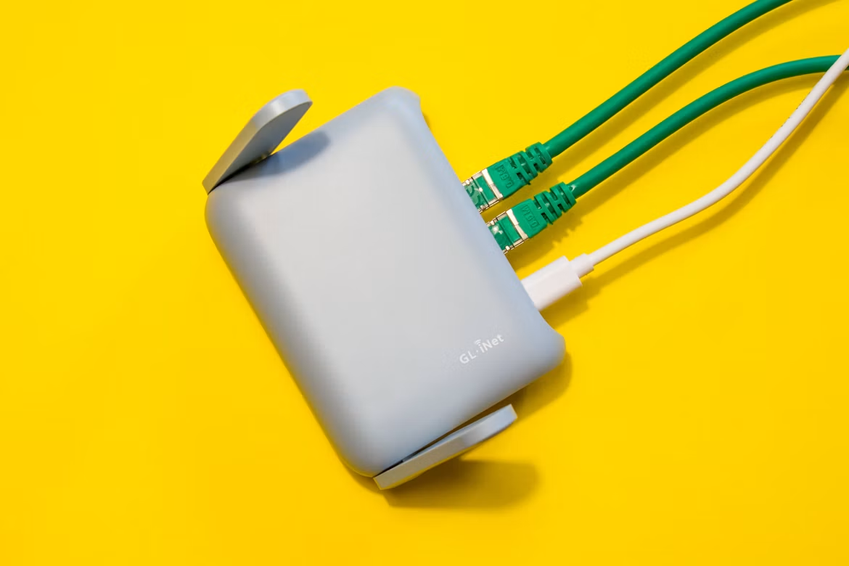
For many Filipino families, a reliable internet connection has become as important as electricity and running water. Students need Wi-Fi for online classes and research, employees rely on it for remote work and video meetings, while families use connected devices for entertainment, shopping, banking, and staying in touch with relatives.
Yet having a fast internet plan does not always mean having good Wi-Fi everywhere at home.
A familiar scene happens in countless households: the connection works perfectly beside the router, but becomes painfully slow in the bedroom. A video call freezes when someone walks into another room. A smart TV struggles to stream a movie, while a phone suddenly switches to mobile data in the kitchen.
These are Wi-Fi dead zones, and they remain a frustrating reality for many Filipino households.
Why One Router Cannot Always Cover the Whole House
The first thing many people blame is their internet provider. Sometimes that is fair. However, not every Wi-Fi problem is caused by the internet service itself.
The physical layout of a home can have a huge effect on wireless signals.
Many Filipino houses are built with concrete walls, reinforced structures, metal gates, multiple floors, and compact rooms. These materials can weaken Wi-Fi signals as they travel from one room to another. A router placed in a corner of the living room may provide excellent performance nearby but struggle to reach a bedroom upstairs.
Distance also matters.
Wi-Fi signals become weaker as they move farther away from the router. If a household has several rooms between the router and the device being used, the connection may become slower or less stable.
This is especially noticeable when families use multiple devices at the same time. A household might have several smartphones, laptops, tablets, smart TVs, security cameras, gaming consoles, and other connected devices competing for bandwidth.
The result is a familiar Filipino technology headache: the internet works, but not necessarily where you need it.
The Home Internet Experience Has Changed
A few years ago, many households could survive with a router positioned next to a desktop computer.
Today, that setup is increasingly unrealistic.
A modern Filipino household can easily have a dozen or more connected devices. One family member might be attending an online meeting on a laptop, another could be watching YouTube on a smartphone, children may be playing an online game, and the television could be streaming a high-resolution movie.
Meanwhile, a security camera may be uploading video continuously.
The growing number of connected devices means that Wi-Fi coverage is no longer simply about getting online. It is about maintaining a stable connection throughout the home.
This is particularly important as more Filipinos embrace flexible work and digital services. A weak signal in a home office can turn a simple video conference into a frustrating experience. For students, an unstable connection can interrupt lessons or make it difficult to submit assignments.
The modern home therefore needs more than fast broadband. It needs effective wireless coverage.
Where Filipino Wi-Fi Dead Zones Usually Appear
Wi-Fi dead zones are not always found in the same place.
In a small one-story house, the weakest area might be a bedroom at the opposite end of the building. In a larger home, the second floor can become the problem.
Kitchens can also be challenging because appliances, walls, and other physical obstacles may interfere with wireless performance.
Outdoor areas create another common problem. A family may want to use Wi-Fi on a balcony, in a small garden, or near the entrance, but discover that the signal disappears only a few meters beyond the house.
Concrete construction can make these situations even more noticeable.
For Filipino households living in townhouses, multi-story homes, apartments, or houses with thick walls, router placement can therefore make a surprisingly large difference.
Simply moving the router to a more central and elevated location may improve coverage.
Router Placement Matters More Than People Think
One of the easiest ways to improve Wi-Fi is also one of the cheapest: move the router.
A router hidden behind a television, inside a cabinet, or underneath a desk may not be in the best position. Wireless signals generally perform better when the router has fewer physical obstacles around it.
Placing the router closer to the center of the home can help distribute the signal more evenly.
Height can also matter. Instead of placing a router directly on the floor, putting it on a shelf or another elevated surface can sometimes improve coverage.
The antennas should also be positioned according to the manufacturer’s design. If the router has external antennas, experimenting with their orientation can help provide better coverage across different floors.
These simple changes will not solve every problem, but they are worth trying before spending money on new equipment.
When a Wi-Fi Extender Makes Sense
If moving the router does not solve the problem, a Wi-Fi extender may be another option.
An extender receives the existing wireless signal and rebroadcasts it to areas farther away. For a household with one particularly weak room, this can be a relatively simple solution.
However, placement is critical.
An extender should not be installed in an area where the original signal is already extremely weak. It needs to receive a reasonably good connection from the main router before it can effectively extend that connection.
This is why placing an extender halfway between the router and the dead zone is often more useful than putting it directly inside the dead zone.
For larger homes, a mesh Wi-Fi system may be a better solution. Instead of relying on a single router and a separate extender, mesh systems use multiple nodes to create broader wireless coverage.
Power Interruptions Add Another Challenge
Wi-Fi coverage is only one part of the connectivity problem.
Power interruptions can also affect home internet access.
In parts of the Philippines, households may experience power interruptions caused by weather, infrastructure problems, maintenance, or other local conditions. When the electricity goes out, the router normally shuts down as well.
That can be especially inconvenient for people working from home, students attending online lessons, or households that rely on Wi-Fi-connected security equipment.
This is where backup power becomes useful.
A compatible wireless router battery can help keep a router operating during a temporary power interruption, depending on the router’s voltage, current requirements, and battery compatibility.
The important point is that backup power does not automatically improve Wi-Fi coverage. Instead, it helps keep the network equipment running when household electricity is temporarily unavailable.
For families who depend heavily on an internet connection, maintaining connectivity during a short outage can be surprisingly valuable.
A Backup Battery Is Not a Replacement for Better Coverage
It is easy to confuse two different problems: poor Wi-Fi coverage and loss of power.
If your phone shows one bar of Wi-Fi in the bedroom even when the electricity is working normally, a backup battery will not fix the dead zone.
The solution is more likely to involve router placement, an extender, a mesh system, or another networking adjustment.
On the other hand, if your Wi-Fi disappears completely whenever the electricity goes out, backup power may be worth considering.
Some households may combine both approaches. A mesh system can improve coverage throughout the home, while a compatible wireless router battery can provide temporary power protection for networking equipment.
This combination can be particularly useful for people who work remotely or operate small businesses from home.
Why Stable Wi-Fi Matters for Filipino Remote Workers
The Philippines has a large community of remote workers, freelancers, online sellers, and digital professionals.
For these users, internet reliability can directly affect income.
A dropped connection during an online meeting may look like a minor inconvenience to someone watching a movie. For a freelancer speaking with an overseas client, however, it can interrupt an important conversation.
Online sellers also depend on messaging applications, social media platforms, payment services, and cloud-based tools.
This means the home router has quietly become one of the most important pieces of technology in many Filipino households.
It may not have the visual appeal of a new smartphone or laptop, but when it stops working, everyone notices.
Online Learning Makes Coverage Even More Important
Students face similar challenges.
A child studying in a bedroom may be several walls away from the router. If the signal is weak, online videos can buffer, virtual classrooms can disconnect, and file uploads can take longer.
Parents may respond by moving the student’s device closer to the router. But that is not always practical.
A better long-term approach is to make sure the home network provides reasonable coverage where learning actually happens.
This is another reason why router placement, mesh networking, and reliable backup power are becoming more relevant to everyday family life.
Smart Homes Need Stronger Networks
The rise of affordable smart devices is creating another reason to eliminate Wi-Fi dead zones.
Smart cameras, smart televisions, wireless speakers, appliances, and other connected products all depend on a stable network.
Imagine installing a security camera near the front gate only to discover that the Wi-Fi signal barely reaches that area.
The camera may disconnect or deliver unreliable footage.
The same issue can affect smart appliances and entertainment devices.
As Filipino households add more connected products, the quality of the home network becomes increasingly important. A smart home is only as convenient as the network connecting its devices.
Weather Can Make Connectivity Feel Even More Fragile
Weather is another important consideration in the Philippines.
Heavy rain, strong winds, typhoons, flooding, and related disruptions can affect both electricity and telecommunications infrastructure. During severe weather, staying connected can become much more important than simply watching entertainment content.
Families may need internet access to check weather updates, communicate with relatives, monitor announcements, or coordinate travel and emergency plans.
Keeping networking equipment powered during a short interruption can therefore be useful.
A suitable wireless router battery may provide temporary backup power, but users should always check voltage, connector type, capacity, and compatibility before connecting any battery to networking equipment.
The Future of Filipino Home Wi-Fi
The Philippine home internet experience is likely to become even more demanding.
More people are using cloud services. Streaming continues to be popular. Online work and education remain important. Smart devices are becoming more affordable, while smartphones continue to serve as the main digital tool for many consumers.
At the same time, households are becoming more dependent on reliable connectivity for everyday tasks.
The answer will not necessarily be buying the most expensive router.
For many families, the best solution may be surprisingly simple: put the router in a better location, reduce unnecessary obstacles, add an extender where appropriate, or consider a mesh system for a larger home.
For households concerned about power interruptions, a compatible backup solution can provide an additional layer of reliability.
A Better Connected Home Starts With the Basics
Wi-Fi dead zones may seem like a small technological annoyance, but they reflect a much larger change in Filipino life.
The internet is no longer something used only by a computer in one room. It connects smartphones, televisions, laptops, cameras, gaming devices, work tools, learning platforms, and countless other products throughout the home.
That means reliable coverage matters.
Before blaming the internet provider or buying expensive new equipment, Filipino households can start with the basics: check the router’s location, identify where dead zones occur, consider how many devices are connected, and determine whether the real problem is weak Wi-Fi coverage or unreliable electricity.
A well-positioned router can make a surprising difference. A mesh system can help larger homes. An extender can solve a specific weak spot. And suitable backup power can keep essential networking equipment running when electricity temporarily disappears.
In a country where digital connectivity is becoming deeply woven into work, education, entertainment, shopping, and family communication, a strong home network is no longer a luxury.
It is becoming part of everyday life.
And for many Filipino families, solving that frustrating Wi-Fi dead zone could be one of the simplest technology upgrades they make this year.