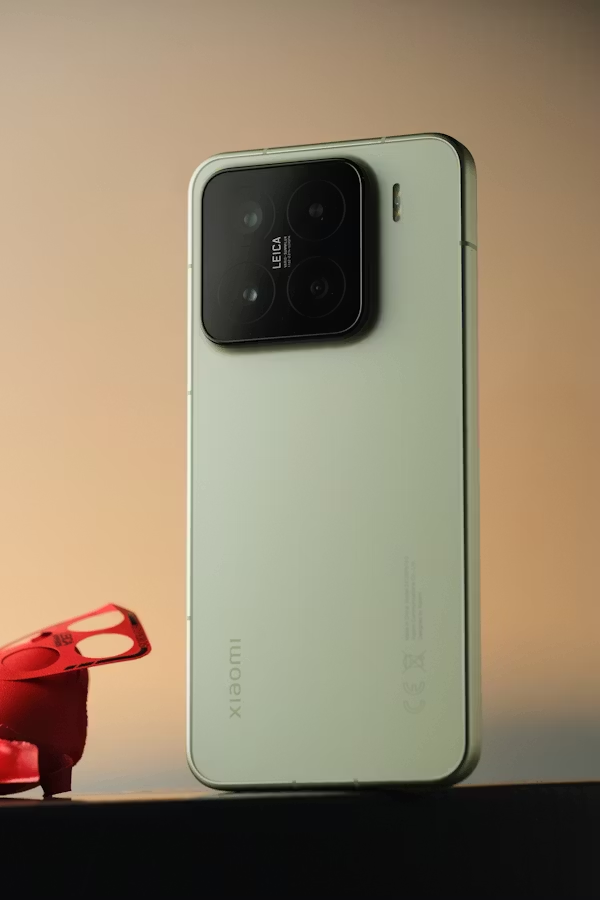
The Xiaomi 13 is a premium smartphone designed for fast performance, smooth daily use, and efficient power management. However, one of the most common issues users may face, whether they just received the device or have owned it for a long time, is charging problems. Some people notice the phone charges slowly, stops charging randomly, or does not respond when connected to power. In many cases, users first suspect the xiaomi 13 battery, but the real cause can also be the cable, adapter, charging port, or software settings. New owners may experience this because of incompatible accessories, while older devices may develop wear after long-term use. The good news is that most charging problems can be solved with a few simple checks and proper maintenance. This guide explains how to restore normal charging performance step by step.
Check the Charging Cable and Adapter
The first thing to inspect is the charging cable and wall adapter. Damaged cables, loose connectors, or chargers with insufficient power output are common causes of slow charging. It is best to use the original Xiaomi charger or a certified replacement that supports fast charging. If charging only works when the cable is moved at certain angles, replacing the cable is recommended before assuming the xiaomi 13 battery is faulty.
Inspect the Charging Port
Dust, pocket lint, and debris inside the USB-C port can block a proper connection. Use a bright light to inspect the charging port carefully. If dirt is visible, gently clean the port with a soft brush or wooden toothpick. Avoid using metal tools because they may damage the internal pins.
Restart the Phone
Temporary software issues can interrupt charging behavior. Hold the power button, restart the Xiaomi 13, and connect the charger again after the device turns back on. A simple reboot often clears background errors and allows the phone to charge normally again.
Check Temperature and Moisture Conditions
Charging may stop automatically if the phone becomes too hot, too cold, or detects moisture in the charging port. Move the phone to a normal indoor temperature and let it cool down if necessary. If the port is damp, disconnect the charger and wait until it is completely dry before charging again.
Use Compatible Fast Charging Accessories
Some users think the phone has a charging problem when the real issue is using a low-power charger. Xiaomi 13 supports fast charging with compatible adapters and quality cables. Standard chargers may still work, but charging speed can be much slower than expected.
Update the System Software
Software bugs can sometimes affect charging performance or battery management. Go to Settings, then About Phone, and check for the latest system update. Installing updates may improve charging stability, optimize the xiaomi 13 battery, and solve hidden system issues.
Consider Battery or Port Replacement
If the phone still charges poorly after trying all these steps, hardware wear may be the cause. Older batteries gradually lose capacity, and charging ports can wear out after repeated daily use. In that situation, professional repair or replacement may be the best long-term solution.
Charging problems are among the most common Xiaomi 13 issues, but they are often easy to fix. By checking the charger, cleaning the port, restarting the phone, and updating the software, you can usually restore proper charging performance. If the problem comes from aging hardware, replacing worn parts can help your Xiaomi 13 remain reliable and efficient for years to come.