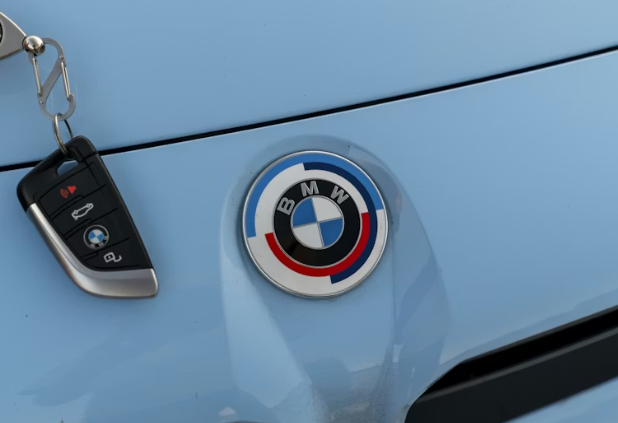
Understanding Your Key Fob Battery
A key fob battery is a small but crucial component that powers your car’s remote functions. It allows you to lock or unlock doors, trigger alarms, and in some models, even start the engine remotely. Without a functioning key fob battery, your access to the vehicle is limited to using the manual key, which can be inconvenient in emergencies. Understanding the role of this battery helps highlight why timely maintenance is essential.
How to Know If Key Fob Battery Is Low
Recognizing the signs of a weak battery can prevent sudden inconvenience. Learning how to know if key fob battery is low involves observing both your key fob and your vehicle. Common symptoms include a dim LED light, a decreased response range, inconsistent door locking, or sporadic remote starting failure. Some vehicles also display a dashboard warning indicating low key fob battery. Checking these indicators regularly ensures you’re prepared before the battery dies completely.
Preparing for a Key Fob Battery Replacement
A key fob battery replacement may seem simple, but preparation is key for safety and efficiency. Begin by acquiring the correct battery type, usually a coin-cell lithium battery, and ensure the fob is clean and dry. Handle the device gently to avoid damaging internal circuitry. Having a small flathead screwdriver or coin ready will make opening the fob easier and reduce the risk of scratches or breakage.
Step-by-Step: How to Change Key Fob Battery
Knowing how to change key fob battery is straightforward once you understand the process. Start by carefully prying open the fob case. Remove the old battery, noting its orientation to ensure the new one is placed correctly. Insert the new battery with the correct polarity, then snap the fob back together. Test all buttons to confirm proper operation. Performing this task carefully ensures your fob functions smoothly and prolongs its lifespan.
How to Replace Key Fob Battery Safely
For those seeking detailed guidance on how to replace key fob battery, it’s important to handle each step with care. Avoid touching the battery surface with your fingers, as oils can affect conductivity. Dispose of the old battery responsibly to prevent environmental harm. Testing the fob immediately after replacement allows you to verify success, avoiding any surprises when you rely on the fob for vehicle access.
Common Issues and Troubleshooting
Even after replacement, some key fobs may not respond as expected. This could be due to poor battery contact, worn buttons, or internal circuit issues. If problems persist, gently cleaning the battery contacts with a dry cloth can improve connectivity. Understanding how to know if key fob battery is low in the future also helps prevent repeated issues, as you’ll be able to detect declining battery performance early.
Maintenance Tips for Long-Term Reliability
Regular care ensures that your key fob remains reliable over time. Avoid dropping the fob, keep it away from moisture, and replace the battery proactively rather than waiting for complete failure. Storing a spare battery in a safe location can be a lifesaver during unexpected emergencies. By incorporating these tips, you’ll maintain optimal performance and extend the life of your key fob battery.
A key fob battery may be small, but it plays a critical role in your vehicle’s convenience and security. Understanding how to know if key fob battery is low, performing a key fob battery replacement, and learning how to change key fob battery or how to replace key fob battery correctly ensures that your key fob remains functional and reliable. With careful maintenance, you can avoid unexpected lockouts, preserve your vehicle’s remote features, and enjoy peace of mind every time you approach your car.